Innovate
  Accelerate
  Engineers & Experience
  Quality Assurance
  Salesforce
  Application Development and Maintenance
  Full Cycle Development
  Consulting Services
  Staff Augmentation
  eCommerce
  Education
  Fintech
  Health & Wellness
  Healthcare
  Logistics
  Media & Entertainment
  Real Estate
  Travel
  Sports




Businesses don’t have to rely on wall jacks, copper wiring, or cumbersome on-site equipment for a phone system to keep them connected. VoIP allows businesses to place and receive calls over the internet and to benefit from the latest communication capabilities that landlines may not be able to handle.
Otherwise known as Voice over Internet Protocol, or VoIP, this product is among the best when it comes to effective communication solutions in the business world for startups, remote locations, call centers, and growing firms. The benefits include versatility, lower costs on calls, mobility, and tools for easier team communication.
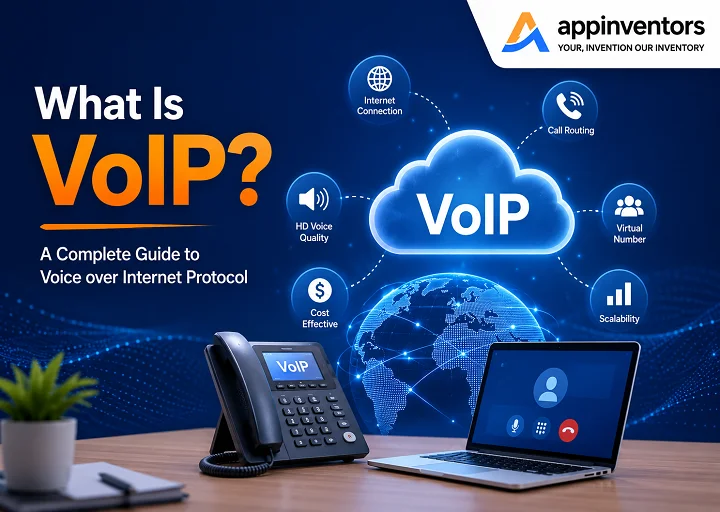
What is VoIP?
VoIP is an acronym for Voice over Internet Protocol. It is the technology used for communication that utilizes the Internet rather than a landline to make phone calls. VoIP basically converts your voice into data and transmits it via the Internet.
The simplest VoIP configuration is one that consists of an internet router and one phone connected to the internet router. The phone looks much like a standard office telephone, but it operates in a different manner behind the scenes. It does not use the traditional copper telephone lines but uses your broadband connection instead.
VoIP is often used by businesses to prevent them from having to install phone lines that need maintenance. VoIP provides more sophisticated services such as call forwarding, call center functionality, voicemail, call logging, mobile applications, and integration with other software programs.
How Does VoIP Work?
The way that VoIP operates is the digitization of your voice. That signal is squashed and segmented into smaller chunks of data. These are sent via the internet and received, where they will be put together to form a visible, intelligible sound.
The following is a simple explanation of how a VoIP call operates:
- Your IP phone, softphone, or VoIP mobile app is plugged into your local internet network.
- A number dialed is sent to the VoIP provider.
- Provider switches on the call and controls the transfer of voice data.
- Your voice is sent as digital packets down the internet.
- The receiver’s device converts those packets back into audio.
This can be done within a matter of seconds, and the telephone call will seem just like a normal one.
VoIP does away with the need for PSTN. Instead, VoIP utilizes the standardization of protocols such as SIP, making it possible for communication between various devices.
What is the Difference Between VoIP and Landline Phones?
The primary difference between VoIP and landline phones can be found in their technology. VoIP is an internet-based technology, whereas landlines are based on traditional copper telephone lines.
Landline systems can be physical, with technicians needing to visit and install the phone equipment on site. VoIP, however, tends to be cloud-based. This allows companies to install users, adjust the call settings, and control phone functionalities via software.
VoIP is also more suited for remote and hybrid working environments. Business phone numbers can be dialed from a desktop, laptop, smartphone or IP phone. With a traditional landline, they are not as flexible and may not offer call forwarding or remote access capabilities.
Key differences include:
| Feature | VoIP | Landline |
| Technology | Internet-based calling | Copper telephone lines |
| Setup | Fast and software-driven | Requires wiring and installation |
| Remote work | Works through apps and IP phones | Limited remote capability |
| Call quality | HD voice with a strong connection | Stable but less flexible |
| Advanced features | Often included | Usually requires extra hardware or services |
| Scalability | Easy to add or remove users | Requires physical setup |
| Cost | Usually lower monthly cost | Often higher with add-ons |
Businesses may consider moving to VoIP when they need better call quality, lower long-distance costs, remote work support, or more advanced communication features.
What Equipment Do You Need to Set Up VoIP?
Most small businesses won’t need many items for VoIP. If you already have a good broadband internet connection and a router, you might just need a subscription to a VoIP service and a device to make calls from.
Typical examples of VoIP devices are:
- IP desk phones
- Softphone applications running on a computer.
- Mobile VoIP apps
- Headsets
- Analog Telephone Adapters for older phones
Softphone – a phone that is made of software and installed on a computer or mobile device. It allows employees to place and receive calls without having to use a landline phone.
If your network is of a significant size, you may also be using switches, firewalls, or other network-specific hardware to handle voice traffic. An analog telephone adapter can be used to help older analog phones, fax machines, or alarm systems join a VoIP system if a company wants to retain these devices.
How To Switch to VoIP
Switching to VoIP is usually straightforward when the right steps are followed.
Check your internet connection
VoIP uses internet connectivity, and thus your internet connection should be stable and fast enough to facilitate voice calls. Before migration, conduct speed, bandwidth, latency, jitter, and packet loss tests for your internet connection. A stable internet connection is likely to ensure clarity of the calls.
Choose your provider and plan
Choose the right VoIP service for your business, features, and budget. Check for features like call forwarding, voicemail, auto attendant, call recording, video conferencing, and customer support.
Don’t buy into capabilities that your team doesn’t need, yet be sure that the plan can expand as your business expands.
Keep your business number
When making the switch to VoIP, most businesses can maintain their current phone number. This service is known as number porting. Customers will typically be able to maintain the same number, while your new VoIP provider will take care of the transfer.
Set up your phones
Maybe physical IP phones, desktop applications, mobile applications, or a mixture of all three. It is often easily set up and requires minimal hardware installation.
Configure your system and train your team
Once set up, add business hours, auto attendant menus, important features like call forwarding and call routing, and voicemail. Employees can be trained to confidently use the new system within a short session.
Advantages of VoIP
VoIP offers several benefits that make it a strong alternative to traditional phone systems.
Lower costs
VoIP can help save expenses in communication because it cuts down on the cost of local, long-distance, and international calls. Additionally, companies can save on the cost of making the phone line installation and on-site PBX maintenance.
High-quality calls
As long as you have a good internet connection, VoIP can provide HD voice quality. This results in improved communication with clients, customers, and employees.
Advanced calling features
VoIP systems may come with capabilities that aren’t offered with landlines at an additional expense. They can range from auto attendants and call queues to call recording, voicemail-to-email, conference calling, and call analytics.
Affordable international calling
For companies that have international client relations, suppliers, or employees working remotely, VoIP can drastically cut down on international calling expenses.
Fast deployment
It is possible to deploy a VoIP system rather quickly. For many businesses, only an Internet connection, a provider account, and compatible devices are needed.
Remote work support
VoIP enables work staff to utilize business phone services while they are at home, on the move, or anywhere they have an internet connection. This makes it perfect for cutting-edge hybrid working arrangements.
Disadvantages of VoIP & How to Overcome Them
While there are numerous benefits to VoIP, it also requires a good internet connection. Drops in Internet connectivity, audio, or quality may delay or degrade calls when using a weak signal.
Internet dependency
VoIP call quality is affected by various factors such as bandwidth, latency, jitter, and packet loss. In order to ensure that there are no issues, you should first conduct a network test before making the changeover.
Internet outages
If your internet goes down, VoIP service may be interrupted. However, many providers allow calls to be automatically forwarded to mobile phones or backup numbers during outages.
Emergency service setup
VoIP uses Enhanced 911, or E911. Businesses must register their physical address so emergency services can locate callers correctly.
Power outages
If office power fails, desk phones may stop working. Employees can continue using VoIP mobile apps over cellular networks such as 4G or 5G.
With proper setup, backup options, and network planning, most VoIP challenges can be managed effectively.
Best VoIP Phone System Features
A cloud-based VoIP phone system can include a wide range of tools that improve business communication.
1) Auto attendant
An auto attendant answers incoming calls and directs callers to the right department or person.
For example:
- Press 1 for sales
- Press 2 for support
- Press 3 for billing
This creates a more professional caller experience and reduces the need for manual call handling.
2) Mobile and desktop apps
VoIP applications facilitate making and receiving business phone calls from the computer, smartphone, and tablet. VoIP applications prove helpful for people working remotely, sales personnel, technical staff, and people traveling constantly.They also reduce the need for every employee to have a physical desk phone.
3) HD call quality
VoIP can provide clear, high-definition voice quality when supported by a stable internet connection. Better sound quality helps businesses communicate more professionally with customers and partners.
4) Unified communications
UCaaS refers to Unified Communications delivered through cloud services. This includes several communication options, such as voice calling, video conferencing, messaging services, voicemail, call recording, and call reporting.
For those businesses looking to enhance collaboration within their ranks, using VoIP can be a good start to achieve UC.
5) Call encryption and VoIP security
Security is a key component in every internet communication mechanism. A number of VoIP services have encrypted their communications. Technologies such as TLS and SRTP can be used to secure the voice traffic that is being transmitted.
Call logs may include information about the timing, date, and duration of each call. However, the conversation itself remains encrypted.
6) Call recording
The other useful function provided by VoIP services is call recording. Organizations may use call recording to improve their quality control, training processes, or customer service evaluation.
Moreover, some systems allow performing analytics that determine customers’ sentiments or even potential sales opportunities.
How Much Does VoIP Cost?
VOIP is often cheaper than normal telephone systems for business use. Price varies according to the provider and the plan you choose, number of subscribers, features provided, and equipment involved.
Some common prices associated with VoIP include:
- Cost of installation: $0-$60 per line
- Monthly price of service: $15-$25 per user
- IP Phones: $80-$600 per unit
- International rates: From about $0.01 per minute
- Taxes and other charges: Varied
Normal telephone systems often incur additional costs like charges for installation, deposits, service agreements, and higher costs for international calls.
For an accurate price quotation, one needs to get a quote according to the number of users and features desired.
How To Choose the Right VoIP Provider
The selection of a VoIP provider should be taken seriously because not all providers are created equal and provide the same quality of service and support.
It would be best to choose a VoIP provider who provides:
- Good implementation experience
- Satisfactory customer support
- Good uptime rate
- Safe and secure environment
- Smooth number migration
- Scale-ability
- Integration with the present network
- The experience of working with your industry
A small business may need a cost-effective and manageable VoIP phone system. Contact centers may be required to have a more advanced system where they can manage call queues, analytics, etc.
You should choose a solution which can fulfill your present and future requirements.
Verdict: Is VoIP Right for Your Business?
VoIP is a great choice for the majority of expanding companies because it helps save money, promotes remote collaboration, ensures scalability, and provides advanced call features to corporate teams.
New companies can establish their professional image by using VoIP solutions without spending too much money on it at once. Remote working groups can collaborate from various locations. Support services can operate calls more effectively. Companies of any size can expand communications within their structures.
Not only does VoIP provide great benefits, but the old-fashioned phone systems can actually prevent you from achieving success with your company.
Still Confused About Switching to VoIP?
The move to VoIP may be viewed as a big step to take, but it actually does not have to be that challenging. It depends on the provider, and in some cases, it is easy to transfer your current numbers, set up features, train your staff members, and get started on making calls through the internet.
With traditional telephones getting obsolete in most places, businesses need to start considering internet telephony options.
Analog to Digital: The (Short) History of VoIP
VoIP technology was conceived a few decades back as a way to enable voice communications using digital networks. Early experiments in voice communications were possible during the 1970s as new internet protocols came into existence, laying the groundwork for digital voice communications.
In the 1990s, the first business uses of VoIP enabled people to make voice calls using computer technology. The technology kept improving, call quality improved, and businesses switched to digital communication services.Today, VoIP is a standard part of modern business communication.
Technical VoIP Terminology
VoIP uses several technical terms and protocols. Here are some common ones:
- SIP: Session Initiation Protocol, used to start, manage, and end voice or video calls.
- RTP: Real-time Transport Protocol, used to deliver audio and video over IP networks.
- SRTP: A secure version of RTP that encrypts voice and multimedia traffic.
- VoIP codecs: Tools that compress and decompress voice data. Examples include G.711, G.722, and G.729.
- TCP: A protocol that helps deliver data reliably across networks.
- QoS: Quality of Service, which prioritizes voice traffic to improve call quality.
FAQs
What is a simple example of VoIP?
Common examples of VoIP include Skype, WhatsApp calls, Zoom, and other apps that use the internet for voice communication. Business VoIP systems use the same core technology but add professional features such as business numbers, call routing, auto attendants, and voicemail.
Is VoIP free?
Some consumer VoIP apps are free, but business VoIP services usually require a paid subscription. The benefit is that paid business VoIP plans often include professional calling features, support, unlimited calling options, and better reliability.
Can I keep my existing phone number if I switch to VoIP?
Yes. Most businesses can keep their current phone number through number porting. Your VoIP provider transfers the number to the new system so customers can continue contacting you without confusion.
Which is better, VoIP or Wi-Fi calling?
Wi-Fi calling is mainly used on mobile phones when cellular service is weak. VoIP is a broader business phone technology that works over the internet and includes features such as call routing, business numbers, voicemail, conferencing, and integrations.
Wi-Fi calling is useful for personal mobile calls. VoIP is better for businesses that need a full-featured phone system.
Can VoIP receive text messages and faxes?
Yes. Many VoIP providers support SMS, MMS, and online faxing. This allows businesses to manage calls, messages, and fax communication from one platform.
Can I use my smartphone or tablet with VoIP?
Yes. Smartphones and tablets can work as VoIP devices through mobile apps. After downloading the provider’s app and signing in, users can make and receive business calls through Wi-Fi or cellular data.