Innovate
  Accelerate
  Engineers & Experience
  Quality Assurance
  Salesforce
  Application Development and Maintenance
  Full Cycle Development
  Consulting Services
  Staff Augmentation
  eCommerce
  Education
  Fintech
  Health & Wellness
  Healthcare
  Logistics
  Media & Entertainment
  Real Estate
  Travel
  Sports




One of the most perilous types of malware is a Trojan horse virus, which can masquerade as harmless but actually performs malicious programs. It deceives its users by appearing as legal programs; thus, it leads them into installing the software without understanding the kind of harm that can be caused. Trojans have remained a serious and threatening threat to cybersecurity, from the theft of data to total domination of the entire system.
Learn about the mechanism of Trojans, the presence of different Trojan malware, and Trojan recognition.
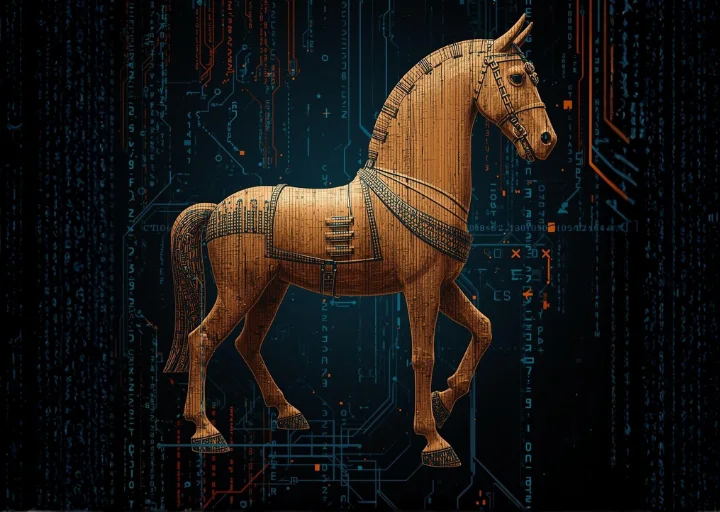
What Is A Trojan Horse Virus?
A Trojan horse virus is an example of malicious software installed on a computer by masquerading as a legal application. Social engineering by attackers involves concealing malicious code within files or programs that appear non-threatening, and ultimately, it succeeds in gaining illegitimate access to the system of a user.
To put it down to bare bones, a Trojan is malware that is hidden in a trusted object, an email attachment, a free downloadable file, etc. After opening and installation, the malicious code installed employs itself and completes the activity that it was programmed to perform. It can be by establishing backdoor entry to business networks, monitoring web activity, or stealing information.
Since Trojan is designed to work silently, they might fail to realize they are infected. The warning signs may involve sudden changes in the system, some strange processes in the background, or an unexplained performance problem.
History Of The Trojan Horse
The Trojan horse has its name based on ancient Greek mythology, the best-known accounts of which can be found in the Odyssey by Homer and the Aeneid by Virgil. In the poem, the Greek army offered the city of Troy a gigantic wooden horse as a peace offering. Their city was secretly laden with soldiers who later came out and opened the gates, after which they allowed their army to raid the city.
There are several details of this legend that are closely comparable to Trojan malware nowadays:
- The wooden horse was a creative solution to the fortifications that Troy so strongly defended when a decade-long siege was unsuccessful. Similarly, Trojan malware offers attackers a mechanism that helps it to evade even highly secured systems.
- The gift of the horse was seemingly harmless. Similarly, the Trojan virus is configured to resemble authorized software or a thorough download.
- After getting into the city, the disguised soldiers took over the city of Troy. On the same note, a Trojan attack can open up a computer to be controlled by an attacker, leading to additional compromise.
This historical parallel is the most accurate description of the nature of successful Trojan attacks, which are accomplished by being deceptive, not confrontational.
How Trojans Work
Unlike regular computer viruses, Trojans cannot spread on their own. They become active only when users download and run infected files, usually executable (.exe) files containing hidden malicious code.
Trojans commonly spread through infected email attachments, fake ads, pop-ups, and malicious links on hacked websites. Cybercriminals often use social engineering tricks to convince users to open these files.
Once installed, a Trojan can give hackers remote access to the infected device, turning it into a “zombie computer.” Multiple infected devices can form a botnet used for malware attacks, data theft, and large-scale cybercrime.
Some Trojans stay hidden until a specific action is performed, such as logging into online banking. After activation, they may continue running, go dormant, or delete themselves.
Trojans can infect not only desktop computers but also mobile devices through malicious apps or unsafe Wi-Fi networks.
Most Common Types Of Trojan Malware
There are many types of Trojan horse viruses that cybercriminals use to carry out different actions and different attack methods. The most common types of Trojan used include:
Backdoor Trojan: It is the Trojan that provides a backdoor into an apparatus where an attacker can remotely access and control it. They can delete files or restart systems, steal sensitive data, or install additional malicious software using this access. Usually, a backdoor Trojan is utilized in the establishment of botnets of infected computers.
Banker Trojan: This is the Trojan that specializes in intercepting financial information that is targeted by stealing online banking information, credit cards, debit cards, and information related to online digital payment systems.
Distributed denial of service (DDoS) Trojan: These are coded in a way that they flood the targeted websites/servers with heavy traffic to interrupt the service.
Downloader Trojan: When installed in a system, the primary intention of such a Trojan will be to download and install other malware, which may be a Trojan, spyware, or adware.
Exploit Trojan: This is the type that involves code with common vulnerabilities to software or operating systems to facilitate the intruders having unauthorized access.
Fake antivirus Trojan: This Trojan masquerades as an honest security application, and it attempts to coerce users into obtaining fake threat removal services by pretending to be able to detect threats.
Game-thief Trojan: This is a Trojan type that exists to steal Bahs and other data from gaming websites.
Instant messaging (IM) Trojan: This Trojan is an attack aimed at the messaging applications and steals usernames and passwords of the well-known instant messaging applications.
Infostealer Trojan: It is a Trojan intended to detect confidential information; in addition, it can also compromise the computers they use to avoid antivirus programs.
Mailfinder Trojan: It is a scanner that goes into the infected system to locate email addresses in it, and the attacker can use it in spam and phishing attacks in the future.
Ransom Trojan: It is a kind of ransomware that locks out files or system functionality and requires payment to unlock.
Remote access Trojan: This worm, similar to a backdoor Trojan, will provide the hackers with complete access to a computer over a distant network connection.
Rootkit Trojan: A rootkit hides evil processes within the system, and it becomes difficult to trace and remove the evil processes using security tools.
Short message service (SMS) Trojan: This is a Trojan which is targeted at mobile phones and can send text messages or intercept text messages, including delivering a text message to an expensive phone number that will also be charged to the phone bill.
Spy Trojan: This Trojan is able to follow the activity of users, and it includes keylogging, screen grabbing, following the usage of any programs, and the collection of login details.
SUNBURST: Hacked SolarWinds Orion software was sold to the SUNBURST Trojan. It was a backdoor, which was inactive at the time of approximately two weeks prior to issuing commands to a command-and-control server to communicate information, execute commands, conduct reconnaissance, and control system services.
How To Recognize A Trojan Virus
A Trojan horse virus can be silently lodged on a machine for long durations of time. Nevertheless, there are particular red flags that can signal a possible infection, including sudden changes in configuration, a drop in the performance of the system, or unexplained activity.
The best method of detecting and eradicating unforeseen threats is the use of a reputable Trojan scanner or a trusted malware elimination program. Periodical security scans are associated with a high possibility of detecting offensive software before it can create a devastating impact.
Examples of Trojan horse virus attacks
Trojan attacks have resulted in significant data breaches and financial losses. Well-known examples include:
- Rakhni Trojan: This Trojan either provided ransomware or a cryptojacking engine, enabling the attacker to either encrypt files or use the systems being infected to mine cryptocurrency.
- Tiny Banker: Tiny Banker attacked financial institutions and was found after intruding into banks in the U.S. that had a minimum of 20 banks.
- Zeus or Zbot: Zeus is a popular toolkit that allows the attacker to develop customized banking Trojans. It uses tools like logging keystrokes and stealing of forms to obtain user credentials and financial information.
How to protect yourself from Trojan viruses
The best way to counter Trojan infections is to observe good cybersecurity practices. Always update operating systems and applications, install good antivirus programs, and scan your system periodically. When receiving emails, one should review them carefully to ensure that he or she is not deceived by a phishing attack.
When surfing, check URLs displayed in the address bar and check links prior to clicking. An additional layer of protection can be an official browser store security or privacy extension.
FAQs
What does a Trojan virus do?
A Trojan virus is one such virus that masquerades as legitimate software in order to deceive users to install it. On its way to inside a system, it can steal information, destroy files, create a backdoor, or allow distant control by the attackers.
How do you get rid of a Trojan horse virus?
In most cases, one may be required to install effective anti-malware software to scan and purge the system with the objective of getting rid of a Trojan. In the case of more serious cases, either system rebuilding or consulting a specialist might be needed.
And what is the difference between a Trojan horse virus and an ordinary computer virus?
A Trojan uses deception and communication with the user to accommodate itself, whereas a traditional virus can copy itself easily and spread without having any direct contact with the user.
What is Trojan malware?
The malicious software that masquerades as harmless software in order to gain access to devices or networks unfairly is known as Trojan malware.
What are some of the examples of Trojan horse viruses?
These are counterfeit anti-virus software, bootleg software, and cracks to games that contain malicious code disguised in them.
How can one detect a Trojan horse virus?
Abnormalities like the poor functioning of the system, wrong pop-up, unfamiliar software, and the modification of system settings, could be warning signs. The surest way of making sure one is not infected is by executing trusted security programs.